
Google Flow in Sri Lanka: Plan an AI Video Storyboard
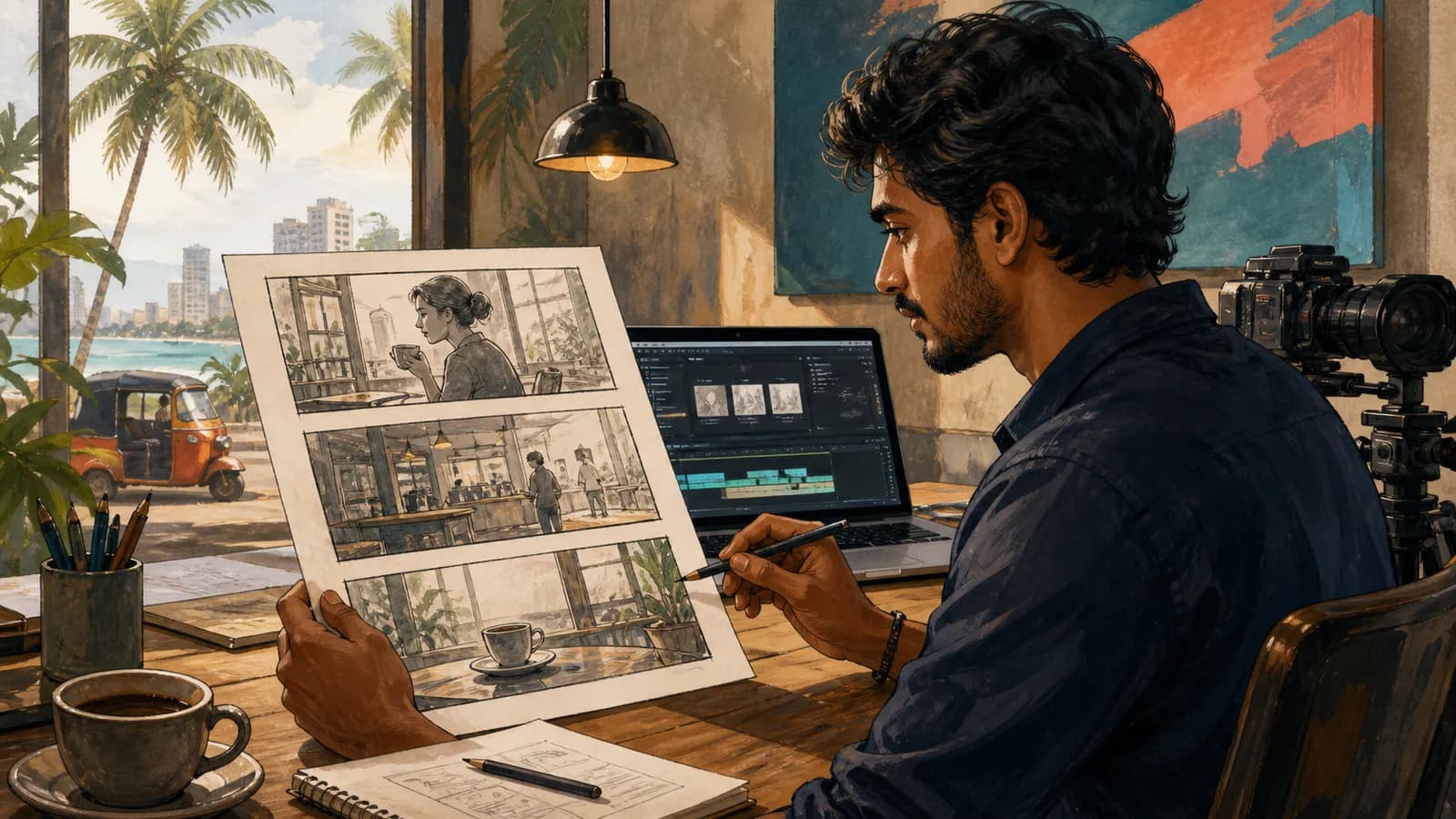
A Google Flow video project becomes easier to manage when you begin with a storyboard instead of repeatedly generating unrelated clips. For Sri Lankan creators, a short local-business example can teach continuity, pacing and review without requiring a large campaign.
Google's February 2026 Flow update describes image generation, editing and video work in a unified workspace. Check current account availability and limits before promising a delivery schedule.
Define one message
Use a fictional cafe as an example. The message might be “a calm place for a morning coffee,” not a list of every product and service.
Choose the intended audience, placement and approximate duration. A short social clip needs a different rhythm from a website background video.
Write the call to action separately so it can be added accurately in the final edit. Do not rely on generated signage to communicate opening hours or prices.
Create a three-shot storyboard
| Shot | Purpose | Continuity detail |
|---|---|---|
| Exterior or entrance | Establish the setting | Same building and time of day |
| Coffee preparation | Show the main activity | Consistent cup and counter |
| Finished table scene | Close the mood | Matching light and props |
Keep each shot's main action simple. Too many simultaneous actions can make the result harder to control.
Use approved references for real locations and products. If the cafe is fictional, do not present the clip as documentary footage of a real business.
Write shot prompts with constraints
Describe the subject, camera movement, duration feel and important details. For example, a slow close-up of a cup being placed on a table needs less movement than a sweeping scene with several people.
Record what must stay consistent across shots: cup colour, furniture, lighting and clothing. Compare every output with that list.
Generate a small set of alternatives and select based on the brief. A visually impressive clip may still be unsuitable if it changes the setting or product.
Review motion and continuity
Watch the full clip at normal speed, then inspect suspicious moments. Check hands, object contact, reflections and changes in shape.
Listen to any generated audio separately. Confirm that speech, music and sound effects are appropriate and that you have the rights needed for the final use.
Do not assume a clip is usable because its first frame looks correct. Many errors appear only during movement or at transitions.
Set a review budget
Decide how many iterations you will try before changing the brief or using another production method. Track which prompt changes improved the result.
In the final editor, assemble the selected shots, add verified text and check the actual crop for the intended placement. Include captions where speech communicates essential information.
Keep the source assets and final edit organised so a later change does not require recreating the entire project.
Is Flow available on every account?
Availability, plans and limits can change. Check the current product information and the options in your own account.
Can a storyboard reduce wasted generations?
It gives you a clear acceptance test for each shot. You can reject a clip for a specific reason instead of generating indefinitely.
Should you generate the business logo or price text?
Use approved assets and editable typography for exact information. Review spelling, prices and contact details in the final export.
What if continuity remains poor?
Simplify the scene, shorten the action or use real footage for the critical product view. The finished message matters more than using one tool for every shot.
Related guides
- Google Whisk to Flow: A Visual Concept Workflow
- Gemini Photo Prompts: A Guide for Sri Lankan Creators
- AI Product Photography in Sri Lanka: A Review Checklist
Browse the Sri Lanka work and technology guides for more practical application, AI and workplace projects.
Related articles
About the author
App Dev Sri Lanka prepared this guide with AI assistance, original examples and the linked primary sources. The collection was informed by Google Trends research for Sri Lanka on 2 September 2026. Illustrations depict fictional people. Examples are educational; this article is not a live vacancy notice or an employer endorsement.
Learn more about App Dev Sri Lanka
